
Save money · Lose weight
Late-night takeout? Kitchen’s closed.
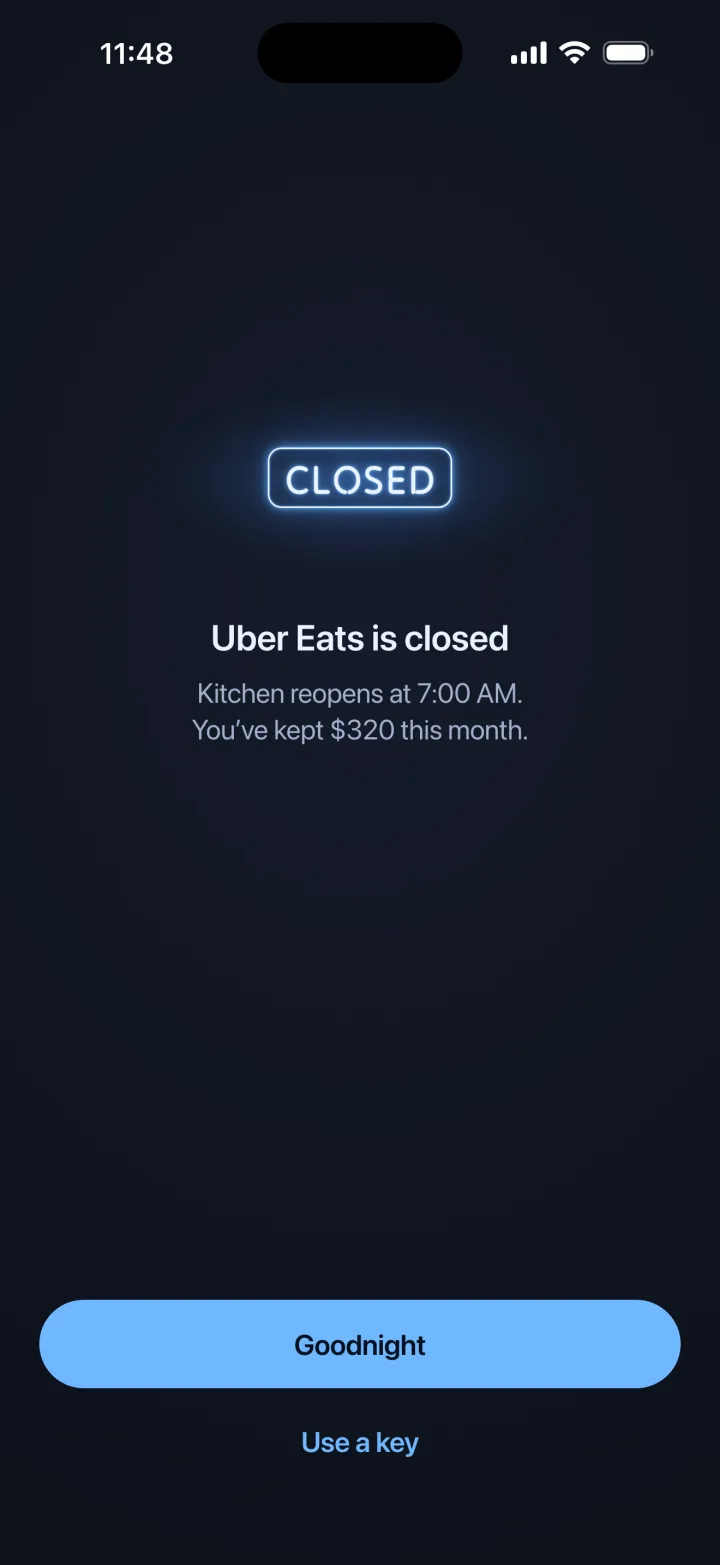
Kitchen Closed locks DoorDash, Uber Eats and any other delivery app during the hours you choose.
For iPhone and Android · No account needed
Do the math
$4,992a year on takeout.
That’s three $32 orders a week for a year. Each order you skip is $32 you keep.
- Usual order
- $32
- Late orders a week
- × 3
- Weeks in a year
- × 52
- A year
- $4,992
Kitchen Closed asks what your usual order costs, then adds it up each time you don’t order. It’s an estimate, and it stays on your phone.
Why not delete the apps?
Deleting the apps doesn’t last.
They take 30 seconds to reinstall. Kitchen Closed keeps them locked until the time you set, and getting in early costs a key.
| Deleting the app | Kitchen Closed |
|---|---|
| Reinstall takes 30 seconds | Locked until 7:00 AM |
| Decided when you’re hungry | Decided in advance |
| Getting back in is free | Getting back in costs a key, then double |
| No record of what you saved | A weekly receipt of what you saved |
How it works
One night with Kitchen Closed.
9:00 PM
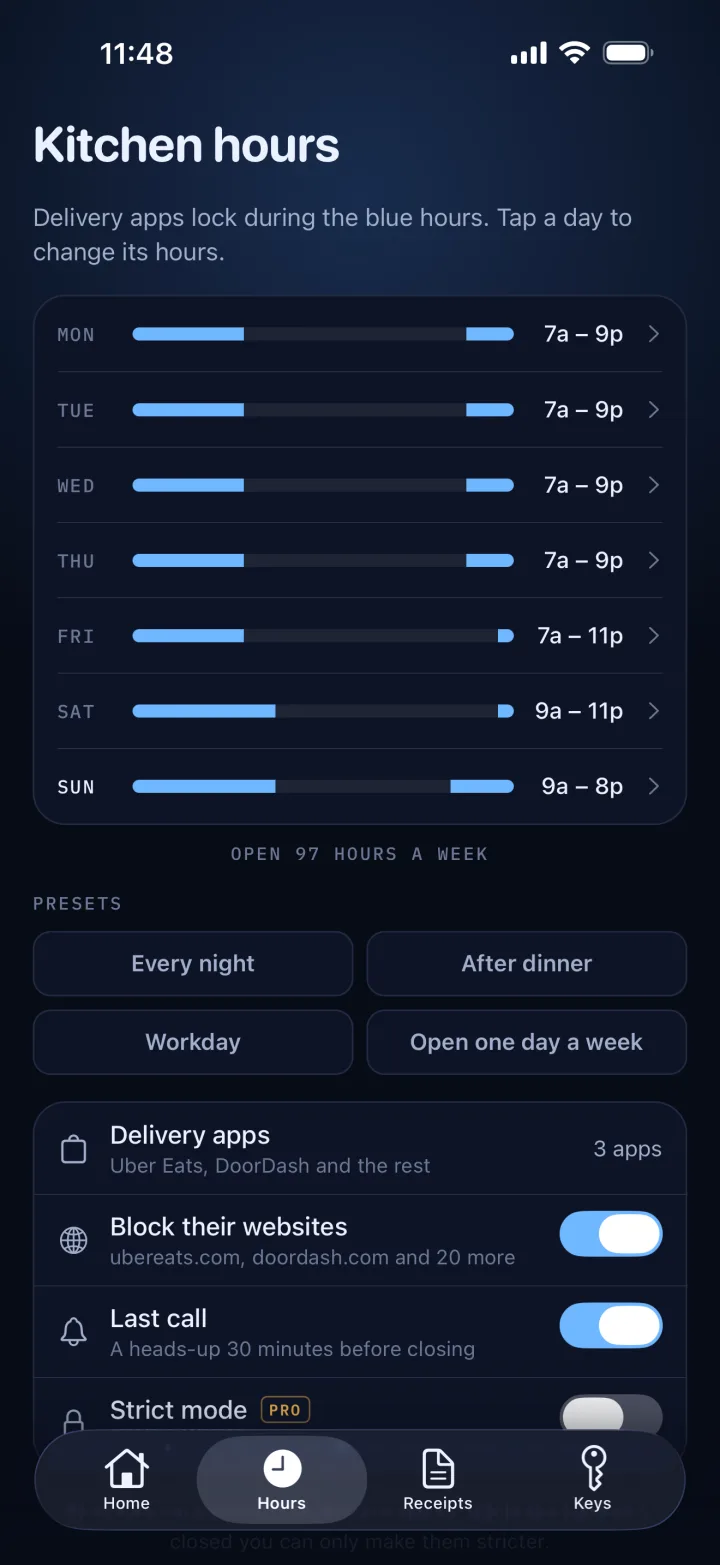
Your apps lock.
Delivery apps lock at the time you set. Each day can have its own hours, so Fridays can stay open later.
11:48 PM
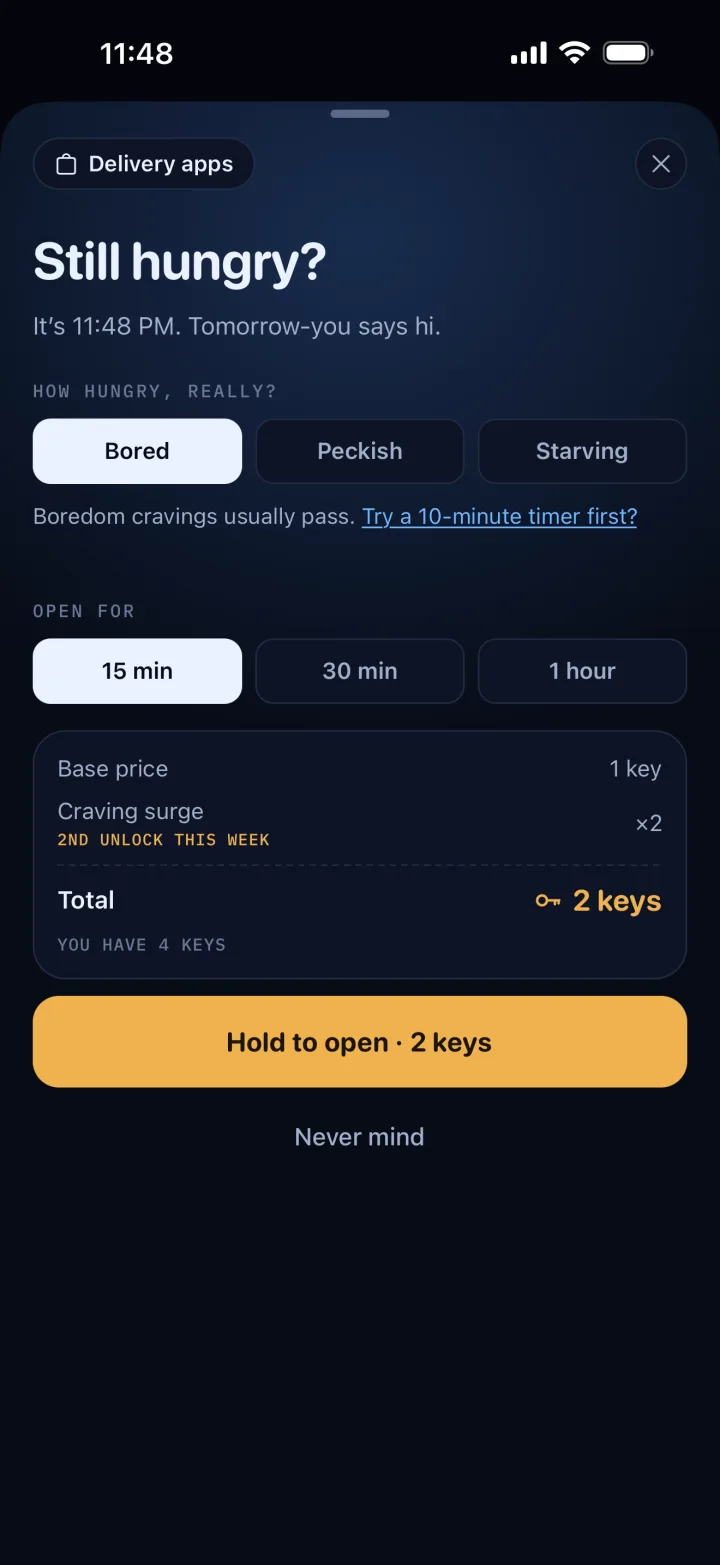
You open Uber Eats.
It’s locked. To get in anyway, you spend a key. Each extra unlock that week costs twice as much.
11:50 PM
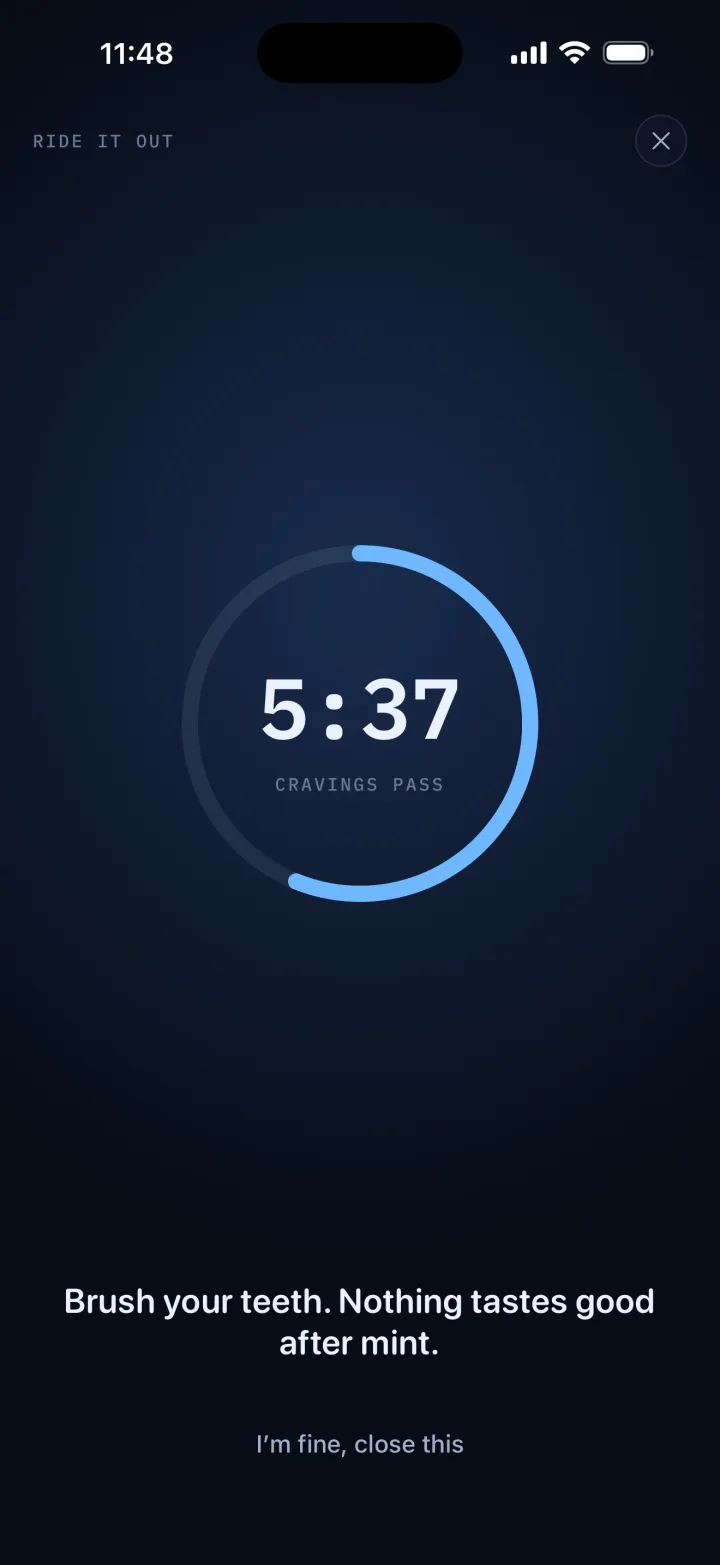
Or you wait ten minutes.
Start the ten-minute timer instead. It gives you a few things to do while the craving passes.
7:00 AM
Your apps unlock.
Everything unlocks at the time you set. Last night’s skipped orders go on your weekly receipt.
Weekly receipt
A receipt for the orders you didn’t place.
Every Sunday, Kitchen Closed lists the orders you skipped that week and how much you kept. Keep it to yourself or share it.
Kitchen Closed
Orders not placed
Days kept closed6/7
Keys spent1
You kept$96.00
Thank you for not ordering
*Estimated from your usual $32 order
The details
What else it does.
Delivery websites lock too.
On iPhone, delivery websites lock along with the apps, so you can’t order in Safari instead.
A reminder before closing.
You get a notification 30 minutes before your apps lock, so you can still order dinner.
Hours can only get stricter.
While your apps are locked, you can make your hours stricter but not looser.
Strict mode.
Turns off keys during the hours you choose. You can’t switch it off until your apps unlock.
Privacy
We never see what you order.
There’s no account to make. The lock runs on your phone, and your hours, answers and receipts are stored there too.
Read the privacy policyYour data stays on your phone.
Your hours, the apps you lock, your answers and every receipt.
Apple’s Screen Time does the locking.
On iPhone, Screen Time locks the apps. Kitchen Closed never sees inside them.
No ads. Nothing sold.
Usage stats, tied to a random ID rather than your name, help us fix and improve the app. They never include your answers, your hours or the apps you lock.
FAQ
Questions, answered.
Can I block DoorDash and Uber Eats without deleting them?
Yes. You choose the hours, and Kitchen Closed keeps DoorDash, Uber Eats and any other delivery app you pick locked during them. You get a reminder 30 minutes before they lock. On iPhone, their websites lock too.
How much does it cost?
Kitchen Closed Pro is $7.99 a week, or $29.99 once for lifetime access. Keys are separate: one for $4.99, or bundles of 3, 6 or 12.
What if I really want to order?
Spend a key. 15 minutes costs 1 key, 30 minutes 2, an hour 3. Each extra unlock in the same week costs double the one before, up to 8 times the normal price, and the count resets on Monday. Or start the ten-minute craving timer and see if it passes.
Can’t I just delete it?
Yes. Deleting Kitchen Closed, or turning off its access in Settings, ends the lock, and you lose any unspent keys. If you want it stricter, turn on strict mode: it turns off keys, and you can’t switch it off until your apps unlock.
Does it really work?
It makes ordering late at night harder: the apps are locked, getting in costs a key, and there’s a ten-minute timer if you’d rather wait. It can’t stop you completely. Every Sunday, the receipt shows how many orders you skipped and how much you kept.
Can I still order dinner?
Yes. You choose the hours, so you can leave dinnertime unlocked, and each day can have different hours. While your apps are locked, you can only make your hours stricter.
Does it see what I order?
No. There’s no account, and your hours, answers and receipts stay on your phone. On iPhone, Apple’s Screen Time does the locking. On Android, an accessibility service sees which app is open, and nothing else. Usage stats, tied to a random ID rather than your name, help us improve the app.
Which phones does it work on?
iPhone and Android phones.
What happens to my keys if I get a new phone?
They come along if you move the app’s data across. If you don’t, or if you delete the app, unspent keys are gone. Pro is different: restore it with the same Apple or Google account.
Close the kitchen tonight.
Stay on your diet and on budget, even when you’re hungry at 11 PM.